Dynamic diagrams with ROQ
Dynamic diagrams with ROQ
In SVG, the force resides.
Since the ROQ v2.1.5 release, if you choose SVG as the rendering format, the plugin diagram injects the generated SVG directly into the page (when it used to do it through datauri).
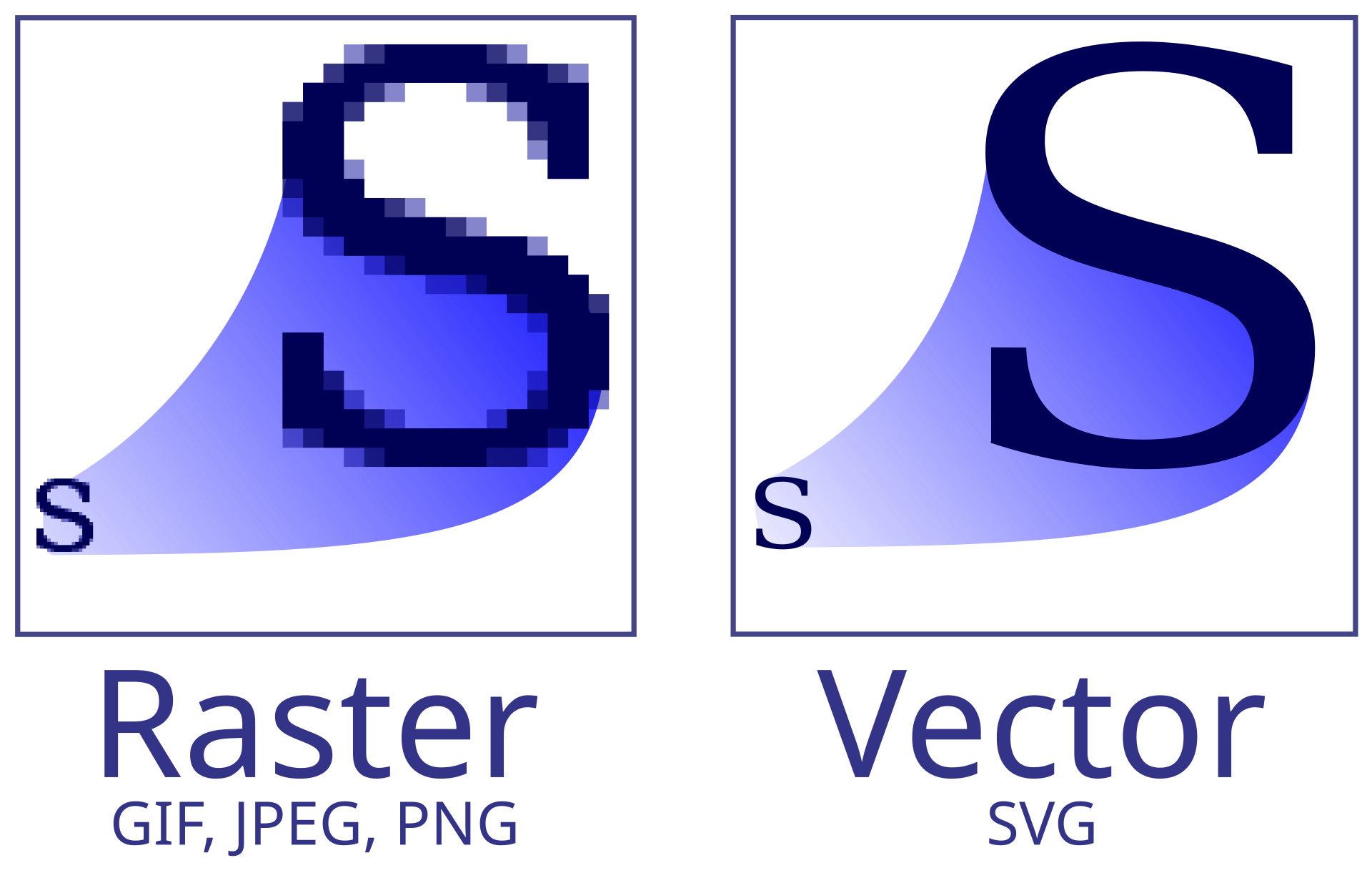
That’s very good new because SVG isn’t just an image that zooms well.
No, Scalable Vector Graphics is a data format based on XML, which has the nice properties of being able to be styled via CSS, AND manipulated directly from the DOM.
Below you can see, for example, a view of the ROQ processing pipeline for building your static sites.
You will notice that it is clickable; indeed, when you select on a box, all its children and their links will be highlighted.
How the hell does this work ?
It’s a 2 step process.
On page load, the following script is executed :
const entities = document.querySelectorAll('.entity,.cluster');(1)
const links = document.querySelectorAll('.link');(2)

// Build entity IDs set for quick existence check
const entityIds = new Set(Array.from(entities).map(e => e.id));

// Build the directed adjacency graph list (only outgoing: from data-entity-1 to data-entity-2)
const adj = {};
links.forEach(link => {(3)
    const ent1 = link.getAttribute('data-entity-1');
    const ent2 = link.getAttribute('data-entity-2');
    if (ent1 && ent2 && entityIds.has(ent1) && entityIds.has(ent2)) {
        if (!adj[ent1]) adj[ent1] = [];
        // Only follow outgoing links
        adj[ent1].push({ neighborId: ent2, linkElement: link });
    }
});| 1 | Classes used by plantuml for activity diagrams. |
| 2 | Link classes. |
| 3 | Internal representation. |
Then when for later use :
 svg.addEventListener('click', (event) => {
        let entityEl = event.target.closest('.entity');
        if(!entityEl) {
            entityEl = event.target.closest('.cluster');
        }

        if (entityEl) { (1)
            // We clicked on an entity
            event.stopPropagation(); // prevent document-level click handler
            const clickedId = entityEl.id;

            if (activeRootId === clickedId) { (2)
                // Clicking the already active root deselects it
                clearSelection();
            } else {
                // Otherwise highlight its network
                highlightNetwork(clickedId);
            }
        } else {
            // Clicking on the SVG background (or other non-entity element) clears selection
            clearSelection(); (3)
        }
});| 1 | If a diagram box is clicked |
| 2 | Else every element is reset to it’s normal design |
| 3 | CSS classes a reassigned to each element to highlight or dim them |
And we have 8 lines of CSS to affect display
/* When an entity is selected, dim everything else */
svg.has-selection .entity:not(.highlighted),
svg.has-selection .cluster:not(.highlighted),
svg.has-selection .link:not(.highlighted) {
    opacity: 0.15;
}

/* Keep highlighted elements fully visible */
svg.has-selection .entity.highlighted,
svg.has-selection .cluster.highlighted,
svg.has-selection .link.highlighted {
    opacity: 1;
}
Since I am forced to say so…
Be aware that this is usable even if you -unwisely- don’t choose ROQ.
As long as you use SVG as graphical material and a plateform that lets you inject CSS and JS…
References
The all javascript file to be placed in scr/main/resources/web/app
document.addEventListener('DOMContentLoaded', () => {
    const svg = document.querySelector('svg');
    if (!svg) return;

    const entities = document.querySelectorAll('.entity,.cluster');
    const links = document.querySelectorAll('.link');

    // Build entity IDs set for quick existence check
    const entityIds = new Set(Array.from(entities).map(e => e.id));

    // Build the directed adjacency graph list (only outgoing: from data-entity-1 to data-entity-2)
    const adj = {};
    links.forEach(link => {
        const ent1 = link.getAttribute('data-entity-1');
        const ent2 = link.getAttribute('data-entity-2');
        if (ent1 && ent2 && entityIds.has(ent1) && entityIds.has(ent2)) {
            if (!adj[ent1]) adj[ent1] = [];
            // Only follow outgoing links
            adj[ent1].push({ neighborId: ent2, linkElement: link });
        }
    });

    let activeRootId = null;

    // Helper to clear all selection states
    function clearSelection() {
        svg.classList.remove('has-selection');
        entities.forEach(ent => {
            ent.classList.remove('highlighted', 'active-root');
        });
        links.forEach(lnk => {
            lnk.classList.remove('highlighted');
        });
        activeRootId = null;
    }

    // Helper to perform BFS and highlight connected elements
    function highlightNetwork(startNodeIds) {
        // Clear previous state
        entities.forEach(ent => ent.classList.remove('highlighted', 'active-root'));
        links.forEach(lnk => lnk.classList.remove('highlighted'));

        const visitedNodes = new Set();
        const visitedLinks = new Set();
        startNodeIds.forEach(id => visitedNodes.add(id));

        while (startNodeIds.length > 0) {
            const current = startNodeIds.shift();
            const connections = adj[current] || [];
            for (const conn of connections) {
                if (!visitedLinks.has(conn.linkElement)) {
                    visitedLinks.add(conn.linkElement);
                }
                if (!visitedNodes.has(conn.neighborId)) {
                    visitedNodes.add(conn.neighborId);
                    startNodeIds.push(conn.neighborId);
                }
            }
        }

        // Apply highlighted class
        visitedNodes.forEach(nodeId => {
            const nodeEl = document.getElementById(nodeId);
            if (nodeEl) {
                nodeEl.classList.add('highlighted');
            }
        });

        visitedLinks.forEach(linkEl => {
            linkEl.classList.add('highlighted');
        });

        // Mark the active root
        const rootEl = document.getElementById(startNodeIds[startNodeIds.length - 1]);
        if (rootEl) {
            rootEl.classList.add('active-root');
        }

        svg.classList.add('has-selection');
        activeRootId = startNodeIds[startNodeIds.length - 1];
    }

    // Add click listeners
    svg.addEventListener('click', (event) => {
        let entityEl = event.target.closest('.entity');
        if(!entityEl) {
            entityEl = event.target.closest('.cluster');
        }

        if (entityEl) {
            // We clicked on an entity
            event.stopPropagation(); // prevent document-level click handler
            let linkedEntities = [];
            if (entityEl.className.baseVal === 'cluster') {
                linkedEntities = Array.from(entities)
                    .filter(ent => ent.getAttribute('data-qualified-name').startsWith(entityEl.getAttribute('data-qualified-name')))
                    .map(ent => ent.id);
            }
            const clickedId = entityEl.id;

            if (activeRootId === clickedId) {
                // Clicking the already active root deselects it
                clearSelection();
            } else {
                // Otherwise highlight its network
                linkedEntities.push(clickedId)
                highlightNetwork(linkedEntities);
            }
        } else {
            // Clicking on the SVG background (or other non-entity element) clears selection
            clearSelection();
        }
    });

    // Also support clicking outside the SVG to clear selection
    document.addEventListener('click', (event) => {
        if (!svg.contains(event.target)) {
            clearSelection();
        }
    });
});-
Blog post image: https://en.wikipedia.org/wiki/SVG
Jérôme Tama
Techlead/Architecte/Compagnon du devoir